From Flexible to Chaotic: How to Keep Your Startup's Notion Workspace Organized as You Scale
By Notion16 min read
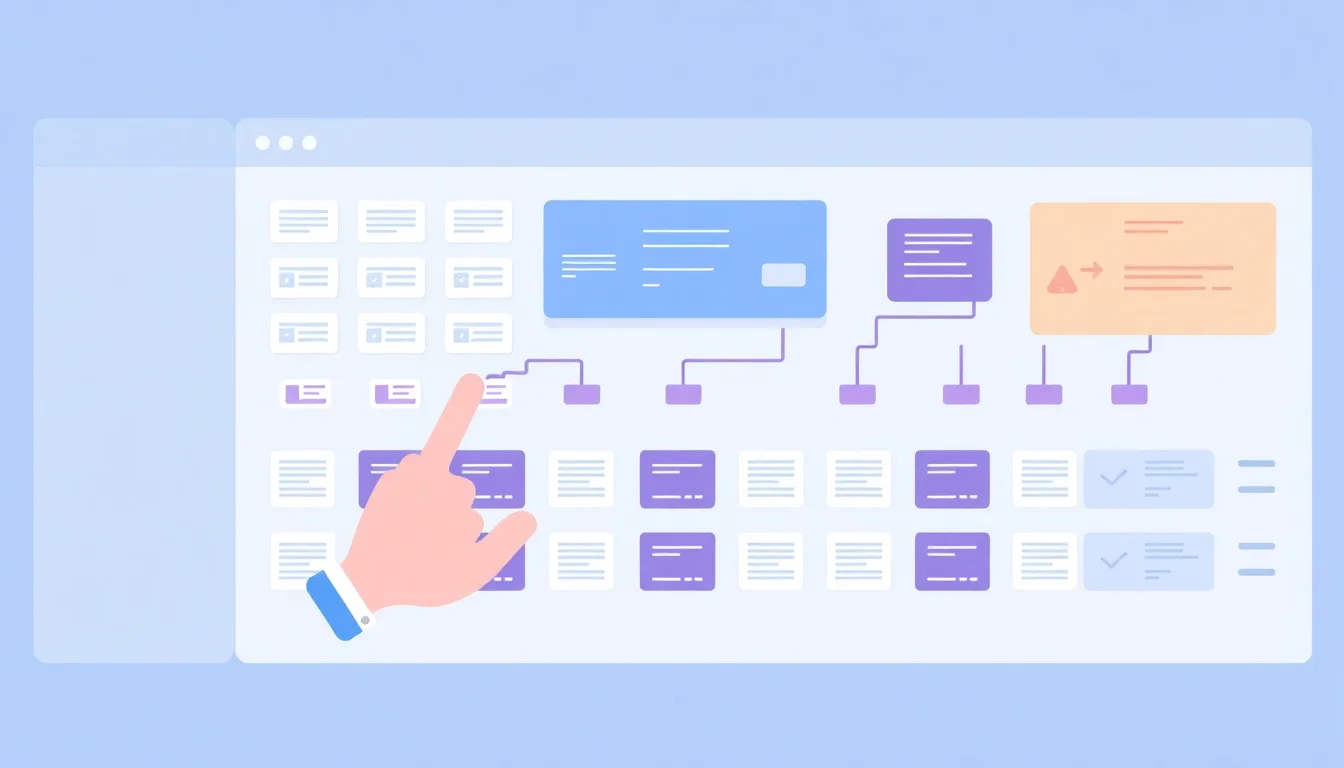
To keep your Notion workspace organized as you scale, implement a three-layer architecture: a Home Hub for navigation, team-specific Teamspaces for daily work, and a locked Company Wiki for institutional knowledge. Enforce a shared naming convention, assign page owners, and audit structure quarterly. This prevents sprawl before it starts.
Why Notion Workspaces Break Down as Startups Grow
Notion's freeform structure is genuinely powerful at five people. Everyone knows each other, the sidebar makes intuitive sense, and nobody needs a map. At 50 people, that same freedom becomes a liability. There are no guardrails by default, and organizational debt compounds silently. Every ungated page, every orphaned database, every unnamed doc adds cognitive load for every future hire.
The most common failure mode is predictable: everyone creates top-level pages, duplicates multiply, and no single source of truth survives past the first reorg. Employees spend 1.8 hours every day, or 9.3 hours per week, searching and gathering information (cottrillresearch.com). In a 20-person startup, that is dead weight your team cannot afford.
The inflection points where chaos typically strikes are predictable: 15 to 20 employees when process formalization becomes necessary, 40 to 60 employees when cross-functional handoffs break down, and 100-plus employees when permissions and governance can no longer be managed by tribal knowledge alone. Recognizing the warning signs early matters. Watch for Slack messages asking "where does X live?", duplicate databases serving the same function, and pages with no clear owner.
The Hidden Cost of Disorganized Knowledge
Knowledge workers spend about 2.5 hours per day, roughly 30% of the workday, searching for information (cottrillresearch.com). For a startup paying senior engineers or operators six-figure salaries, that cost is not abstract. It shows up in slower onboarding, repeated Slack questions, and senior team members spending their highest-leverage hours answering questions that a well-structured wiki would answer automatically.
Disorganized workspaces also signal operational immaturity to new hires. A candidate who joins expecting a high-functioning team and finds a chaotic Notion will update their priors about the organization fast. First impressions are hard to undo.
The Three Stages of Notion Workspace Entropy
Stage 1, covering one to fifteen people: everyone shares one workspace, structure is intuitive because the whole team knows each other, and informal norms hold.
Stage 2, covering fifteen to fifty people: cross-functional confusion begins. Duplicated databases appear. The top-level sidebar becomes unmanageable. Someone creates a second "Product Roadmap" without realizing the first one exists.
Stage 3, covering fifty to one hundred fifty people: permissions matter. Contractors need scoped access. Legacy pages accumulate. Search becomes unreliable. At this stage, 19.8 per cent of business time is wasted by employees searching for information to do their jobs effectively (cottrillresearch.com). The solution is architecture, not discipline.
Building a Scalable Notion Architecture from the Start
The answer is a three-layer workspace model. The Company Wiki holds evergreen reference content. Teamspaces contain active work organized by function. A Home Hub serves as the navigation layer every new employee lands on. Build this structure before you think you need it.
Your Home Hub page should include the org chart, a tool directory, quick links to every team's home page, and a "How We Work" primer. This is the page you send on day one. It should answer the questions that currently end up in Slack.
At Notion, we've observed that the teams who scale cleanest are the ones who design for the hire they don't have yet. Structure should make sense to someone joining twelve months from now with zero context. If it only makes sense because you built it, it will break.
Build a master database index: one page that lists every active database in the workspace with its owner, purpose, and last-updated date. This single artifact prevents more chaos than any naming convention.
The Company Wiki: Your Single Source of Truth
Scope the wiki to evergreen content only: mission, values, processes, policies, and how-tos. Meeting notes and active project trackers do not belong here. They belong in Teamspaces.
Assign a wiki owner, typically the Head of Operations or Chief of Staff, and make them responsible for quarterly audits. Lock editing permissions to a small group. Well-intentioned but unilateral edits are how wikis decay. Use a consistent page template for every wiki article: Purpose, Owner, Last Updated, Related Pages. Four fields. No exceptions.
Teamspaces vs. Shared Pages: When to Use Each
Notion Teamspaces, available on the Business plan, work best for function-specific work that does not need org-wide visibility. Engineering sprint boards, Finance models, and People Ops docs belong in dedicated Teamspaces. Cross-functional projects, OKR tracking, and all-hands materials belong in shared pages visible to the full workspace.
Avoid mirroring your org chart too literally. Create spaces around workflows, not reporting lines. A "Go-to-Market" Teamspace serving both Marketing and Sales often beats two separate silos.
Naming Conventions, Templates, and Governance Rules That Actually Stick
Naming conventions are the most underrated lever in startup operations. Poor naming costs real time. Consider the 20 minutes wasted on a single misnamed file rather than doing actual work (linkedin.com). Multiply that across a team of thirty and an average of eight searches required to find the right document (cottrillresearch.com), and the productivity loss becomes structural.
The recommended naming format: [Team] – [Type] – [Descriptive Title] – [Date if time-sensitive]. An example: "Product – PRD – User Auth Redesign – Q1 2026." This format is scannable, sortable, and survives personnel changes. Document it. Add it to onboarding. Make it visible in the workspace itself. A convention that lives only in someone's head is not a convention.
Building a Template Library Your Team Will Use
Templates do two things that matter. They reduce blank-page paralysis, and they enforce consistency without requiring top-down mandates. The failure mode for templates is over-engineering. A 40-field project brief template will be abandoned by week three. Speed and iteration win.
Start with five to eight high-frequency templates: meeting notes, weekly standup, project brief, decision log, retrospective, job posting, and onboarding checklist. Pin the template gallery to the sidebar and reference it explicitly in onboarding. Use Notion's built-in template button feature so templates are accessible directly inside the relevant database, not buried in a separate page.
The deeper issue with templates that vendor documentation skips: templates fail when they are built for the team's current state rather than the team's next state. A meeting notes template that made sense at ten people will frustrate a thirty-person team with five workstreams. Review and update templates after major team feedback cycles or process changes. Treat templates as living artifacts, not set-and-forget infrastructure.
The Minimal Governance Framework for Startups
Governance does not mean bureaucracy. It means clear defaults so autonomous teams don't create conflicting systems. The minimum viable governance framework for a sub-100-person startup has three components.
First, appoint a Workspace Admin responsible for structural decisions. This is not a full-time role at sub-100 headcount, but it must be someone's explicit responsibility. Undifferentiated collective ownership means no ownership.
Second, create a "Notion Guidelines" page in the Company Wiki covering where things live, naming rules, and how to request a new database. Keep it to one page. If it requires a table of contents, it is too long.
Third, establish a quarterly Notion Cleanup Sprint. Archive stale pages, consolidate duplicate databases, and update the master index. Regular SaaS tool audits can save 10-30% in governance overhead (cloudeagle.ai). Apply the same discipline to your Notion workspace structure.
Permissions and Access Control as Your Team Expands
Permissions become critical the moment you add contractors, advisors, or cross-functional hires who should not see sensitive data. This is not abstract. Mismanaged contractor access is a real and common security gap in fast-growing startups. Platforms managing contractor identity have eliminated over 56 million static permissions to address exactly this kind of sprawl (britive.com).
Notion's permission hierarchy runs from Workspace Owner to Member to Guest. Map your organization's trust levels to these roles before you actually need them. Use Teamspace-level permissions to restrict sensitive functions like Finance, Legal, and People Ops without resorting to complex page-by-page settings.
Guest access is your best tool for contractors and advisors. Grant page-specific access, not full workspace membership. This is not bureaucratic caution. It is standard practice. Audit permissions quarterly. Departed employees and inactive contractors are the most common security gap in startup Notion workspaces.
Structuring Permissions for Contractors and Cross-Functional Teams
Create a standard Contractor Onboarding checklist that specifies exactly which pages to grant access to. Remove guesswork from the process entirely. The checklist should be owned by the Workspace Admin and updated whenever a new contractor role type is added.
Cross-functional project spaces should be accessible to all contributors, but each space needs a single Directly Responsible Individual. Shared ownership without a named DRI produces the same outcome as no ownership. When a page has no clear owner, it rots.
Treat business cases and project briefs as dynamic pages with embedded metrics and stakeholder tags, not static documents. Tag the relevant owners and cross-functional contributors directly in the page properties. This makes accountability visible at a glance and reduces the status update meetings that drain async teams.
The Offboarding Permissions Checklist
When an employee departs, immediately reassign their owned pages and databases to a new owner. Remove Guest access for any contractors whose engagement has ended. Conduct a permission audit after any reorg or significant headcount change. These three steps take less than thirty minutes and prevent the silent accumulation of access that creates real security risk.
Using Notion AI and Linked Databases to Scale Without Adding Complexity
Linked databases are the most underused scaling lever in Notion. They let you display the same data in multiple contexts without duplication. Surface project status on a team home page without creating a separate tracker. Create role-specific filtered views of shared databases so each team sees only what is relevant to them. This is not a cosmetic feature. It is what keeps a 50-person startup from needing five separate project management tools.
Relations and rollups connect your databases into a lightweight operational system. Link Tasks to Projects to OKR tracking without needing a separate project management tool. Create a single OKR database, a Projects database, and a Tasks database. Use rollup properties to show task completion percentage at the project level and project status at the OKR level. This gives leadership real-time visibility without requiring manual status updates.
Practical Notion AI Use Cases for Startup Operations
Notion AI serves as an on-demand search layer. Employees ask natural language questions and surface buried content without knowing where it lives. This directly addresses the 60% of company executives who report that time constraints and lack of understanding of how to find information prevent employees from getting what they need (cottrillresearch.com).
The practical use cases that actually work at startup scale: meeting note summarization by pasting a transcript and prompting AI to extract decisions, action items, and owners; wiki maintenance by using AI to flag outdated content during quarterly audits; and onboarding acceleration by enabling new hires to ask Notion AI questions about company processes and get answers sourced directly from the wiki.
Embedding discussions directly in tasks, rather than in Slack threads, is a structural change with real impact. When context lives next to the work, status meetings become optional. Notion AI can summarize those embedded discussion threads across multiple tasks, giving async teams alignment without a synchronous call.
Building Agents That Follow One Job, One Scope
Notion's automation capabilities, native and via integrations like Zapier or Make, are most effective when scoped tightly. Follow the "one agent, one job" principle: an automation that auto-assigns page owners when a new project is created does one thing well. An automation that tries to notify stakeholders, update statuses, and generate summaries simultaneously becomes brittle and hard to debug.
Trigger agents on specific events, not everything. An automation triggered by an @mention or a specific property change is reliable. An automation triggered on every page edit creates noise that teams learn to ignore. The goal is reducing the manual overhead that discourages consistent documentation, not adding new complexity that requires its own maintenance.
The collaborative documentation market is growing at a CAGR of 10.2% between 2023 and 2030 (congruencemarketinsights.com). The teams that build structured, AI-augmented workspaces now will have a compounding operational advantage as that market matures. Start with structure. Layer in automation. The order matters.
Frequently Asked Questions
How do you structure a Notion workspace for a startup team of 10–50 people?
Use a three-layer model: a Home Hub page for navigation and announcements, Teamspaces for function-specific active work, and a locked Company Wiki for evergreen reference content. Build a master database index listing every active database with its owner and purpose. Design the structure for someone joining twelve months from now with no context.
What is the difference between Notion Teamspaces and regular shared pages, and when should I use each?
Teamspaces are siloed by function and restrict access by default, making them ideal for Engineering sprint boards, Finance models, or People Ops docs. Shared pages are visible org-wide and work best for cross-functional projects, OKR tracking, and all-hands materials. Avoid Teamspaces for anything requiring broad collaboration across multiple departments.
How do I prevent Notion from becoming a disorganized mess as my team grows?
Prevent mess through structure, not discipline. Implement a naming convention documented in onboarding, assign a Page Owner property to every database, run a quarterly Cleanup Sprint to archive stale content, and appoint a Workspace Admin with explicit structural responsibility. Governance does not require bureaucracy. It requires clear defaults enforced consistently.
What naming conventions should startups use in Notion to keep pages findable?
Use the format: [Team] – [Type] – [Descriptive Title] – [Date if time-sensitive]. Example: "Product – PRD – User Auth Redesign – Q1 2026." This format is scannable, sortable, and survives personnel changes. Document the convention in your Company Wiki, reference it in onboarding, and include it on your Home Hub page so it remains visible.
How does Notion handle permissions for contractors and external collaborators?
Notion's Guest role allows page-specific access without full workspace membership, making it the right choice for contractors and advisors. Create a standard Contractor Onboarding checklist specifying exactly which pages to grant. Audit Guest access quarterly. Remove access immediately when an engagement ends. Never grant full workspace membership to anyone who does not need it.
Can Notion replace Confluence, Asana, and Google Docs for a startup all at once?
For most seed-to-Series B startups, yes. A well-structured Notion workspace with a Company Wiki, linked project databases, and OKR tracking handles the core jobs of all three. Teams needing advanced sprint management or Gantt-level planning may keep a specialized tool. The key is consolidating around one system of record, not replicating every feature.
How often should you audit and clean up a Notion workspace?
Run a dedicated Notion Cleanup Sprint quarterly. Archive stale pages, consolidate duplicate databases, update the master database index, and review permissions for departed employees and inactive contractors. For fast-growing teams, a lighter monthly check of the top-level sidebar prevents debt from accumulating between full audits.
What are the best Notion templates for startup operations and project management?
The highest-impact templates for startup teams are meeting notes, project briefs, decision logs, retrospectives, PRDs, job postings, and onboarding checklists. Pin the template gallery to the sidebar. The common failure is over-engineering templates for current team size. Build for your next stage, not your current one, and update templates after major process changes.
Does Notion AI help with finding information in a large workspace?
Notion AI functions as a natural language search layer, allowing employees to ask questions and surface content without knowing where it lives. This is most valuable for new hires navigating a large wiki and for async teams needing context without a synchronous meeting. AI search complements good structure but does not substitute for it. Organize first, then layer AI on top.
What are the biggest Notion mistakes startups make and how do you avoid them?
The five most common mistakes: creating too many top-level pages with no hierarchy, skipping naming conventions until chaos is already entrenched, granting full workspace access to contractors, building templates that are too complex for fast iteration, and treating the workspace as self-maintaining. Assign owners, document conventions, audit quarterly, and keep templates lean.
What are the best practices for organizing tasks in Notion?
Organize tasks inside a central Tasks database linked to a Projects database via Relations. Assign a clear owner, due date, and status to every task. Use filtered views so each team member sees only their active tasks. Break work into specific, actionable items with explicit dependencies noted in task descriptions or linked pages. Avoid creating ad hoc task lists outside the central database.
How can Notion AI help in maintaining a structured workflow?
Notion AI reduces the documentation overhead that causes workflows to decay. Use it to summarize meeting transcripts into decisions and action items, flag outdated wiki pages during quarterly audits, and give new hires self-serve answers about company processes. Trigger AI-powered automations on specific events like property changes or @mentions rather than broad triggers that create noise.
What templates are most effective for startup teams in Notion?
The most effective templates are those built for speed and iteration, not completeness. A project brief with five fields outperforms a fifteen-field template that no one fills out. Prioritize meeting notes, onboarding checklists, and decision logs as your first three. These cover the highest-frequency use cases. Build the template from the workflow backward, not from an idealized structure forward.
How do you ensure clear ownership and dependencies in Notion?
Add a required Owner property to every database. For projects, designate a single Directly Responsible Individual. Document task dependencies explicitly in task descriptions or use linked pages to connect related work. Cross-functional project spaces should tag all contributing stakeholders in page properties. Visibility creates accountability without requiring additional status meetings or check-ins.
What are some common mistakes to avoid when using Notion for project management?
Avoid these five mistakes: creating duplicate databases for the same function, skipping the Owner property so pages become orphaned, building automations that trigger on too many events and produce noise, using Notion as a dumping ground rather than a curated workspace, and neglecting to run quarterly cleanup sprints. Each mistake compounds over time and is significantly harder to fix at scale.
Sources & References
- SaaS Audit Checklist for IT and Security Teams in 2025[industry]
- Contractor Identity and Access Management - Use Case - Britive[industry]
- Various Survey Statistics: Workers Spend Too Much Time Searching for Information[industry]
- Global Collaborative Documentation Market Size, Trends, Share[industry]
- Naming Conventions Are Killing Your Team's Productivity - LinkedIn[industry]
About the Author
Notion
Notion is an all-in-one workspace that consolidates docs, wikis, and projects into a single platform, helping startup teams eliminate tool fragmentation and work more efficiently.
Related Posts

Notion vs. Coda in 2026: Which Is Better for Building Your Startup Operating System?
Choosing between Notion and Coda as your startup's operating system is one of the highest-leverage decisions you'll make in 2026. This head-to-head comparison breaks down docs, databases, automations, AI features, and pricing so you can pick the platform your team will actually use—and stick with.
17 min read

How to Use Notion AI to Eliminate Repetitive Ops Work at Your Startup
Repetitive ops work—drafting SOPs, summarizing meetings, updating status docs—quietly drains hours from startup teams every week. Notion AI embeds directly into your existing workspace to automate these tasks without adding another tool. This guide shows you exactly how to set it up.
15 min read
7 Notion Database Structures Every Startup Operations Lead Should Steal
Scattered tools kill startup velocity. These 7 Notion database structures give operations leads a plug-and-play system for managing projects, hiring, OKRs, and institutional knowledge in one place—without needing an engineering degree to build them.
15 min read